System Configuration Pages
Version scope: current-field and behavior corrections below were checked against source
43d2698on 2026-10-01. Older public binaries may differ; verify your installed version before following a changed UI or operation.
System Configuration is available only to administrators. Changes affect all users or service operation, so confirm their scope before saving.
Current entries are in the separate /admin console. The retained v005 images are field and migration references. Model capabilities, system timeout settings, and Agent roles have changed; use the current fields described below.
Model Config
Menu: Admin console > System config > Model config (/admin/models)
Visibility: Administrators
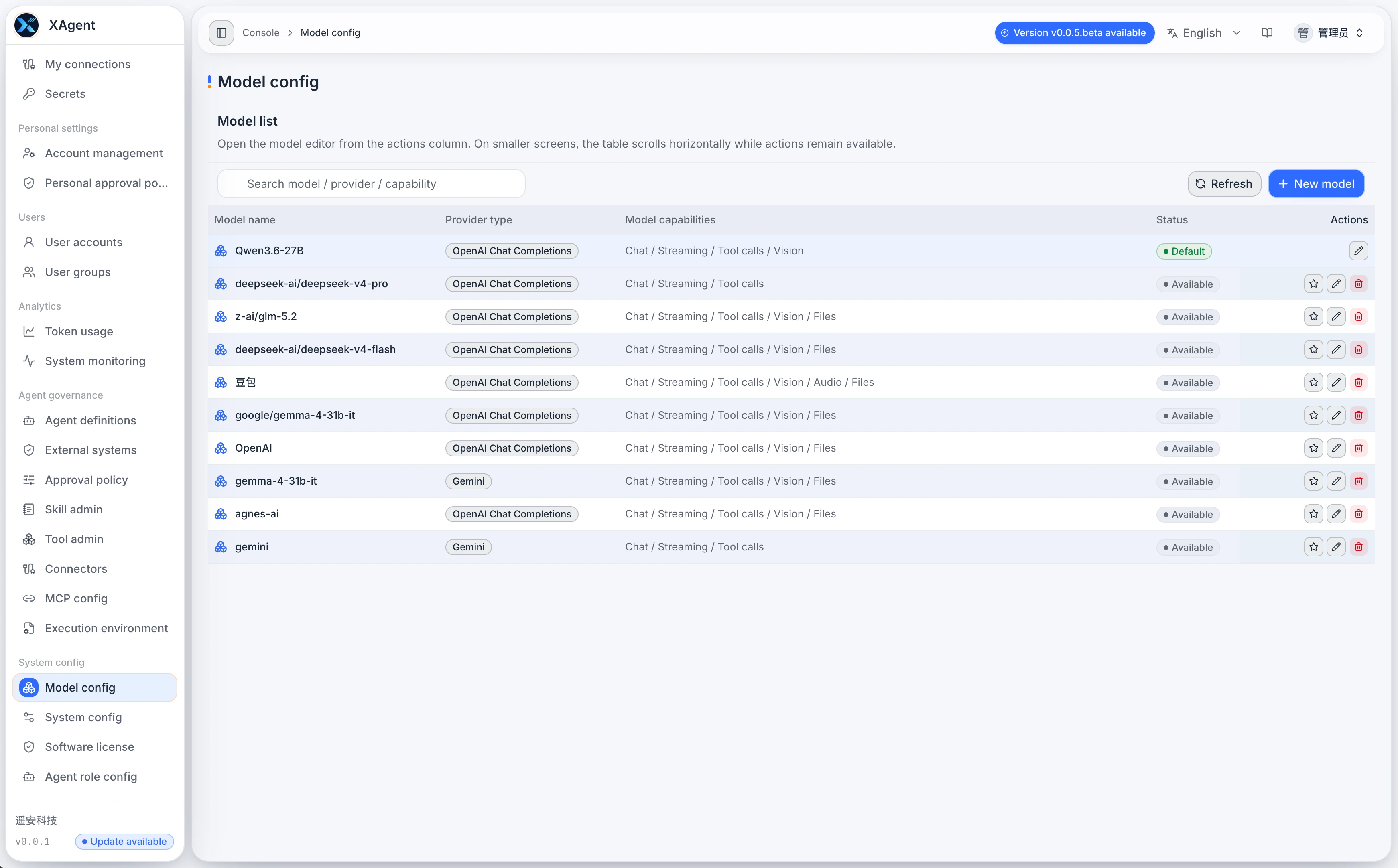
- Create a model and select its Provider protocol.
- Configure the Base URL, API key, upstream model name, headers, and timeout.
- OpenAI-compatible Providers can load upstream model candidates or use a manual ID; configure context limits, max output, reasoning effort, and compatible thinking settings.
- Chat Providers declare chat, Tool-call, vision, audio, and file capabilities. Image generation uses a separate OpenAI Images Provider.
- Set model-request concurrency, test the connection, save, and choose a default chat model. An image-generation model cannot be the default chat model.
See Model Configuration for details.
System Config
Menu: Admin console > System config > System config (/admin/config/system)
Visibility: Administrators
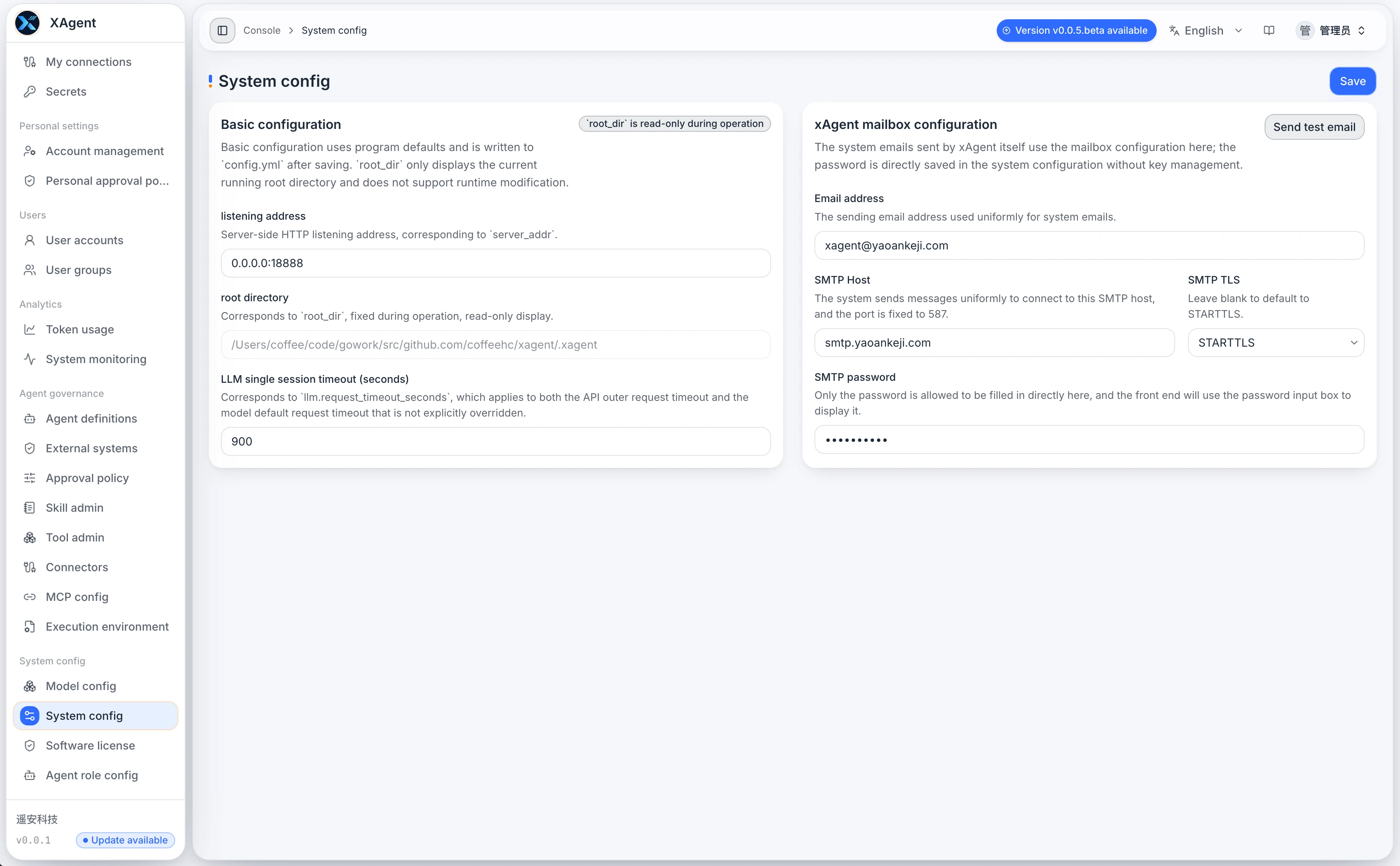
- Review the listening address and read-only runtime root.
- The former single-session LLM timeout field shown in the old image is no longer on this page; maintain per-model request timeouts in Model Configuration.
- Configure the system sender address, SMTP host, TLS, and password.
- Follow the page guidance to determine whether a restart is required.
- Review database status. SQLite deployments provide a PostgreSQL upgrade workflow; validate the connection first and follow the confirmation steps on the page.
Send test email first attempts to save unsaved changes, then sends the test message. System and personal sender settings have different scopes; check the sender identity and configuration before testing.
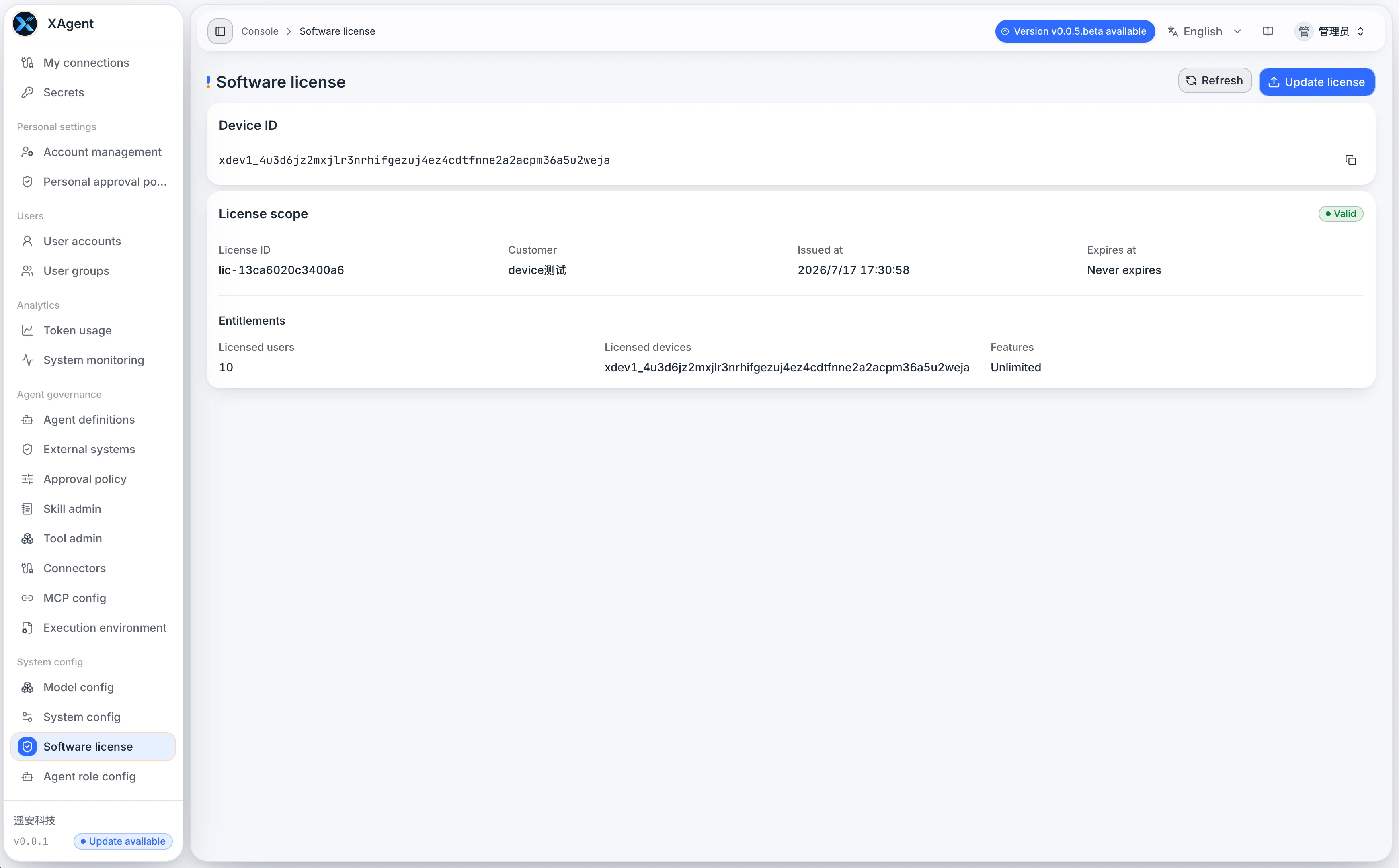
Software License
Menu: Admin console > System config > Software license (/admin/config/license)
Visibility: Administrators
Without an Enterprise license certificate, xAgent uses the Free edition directly. No Free certificate application or renewal is needed, and there is no Free certificate expiry. Current Free runtime capacity is counted across the deployment, not separately for each user:
| Resource | System-wide limit | Counting rule |
|---|---|---|
| Users | 2 | Users that are not disabled |
| Sessions | 30 | Sessions that are neither deleted nor archived, across all Session kinds, not only children |
| WorkGroup | 1 | WorkGroups in the system |
| AgentPlugin VChannels | 5 | Virtual-channel bindings, not installed plugin services |
| Scheduled tasks | 5 | Timer triggers, including disabled timers; external-event triggers are excluded |
| Remote A2A | 1 | Remote A2A connections, counted separately from VChannels |
Archived Sessions do not consume Session capacity; restoring one checks available capacity again. At a limit, review usage across the whole deployment. Stopping execution does not remove an unarchived Session from the count, and disabling a timer does not release timer capacity. See archive and restore.
Licensing controls quantities rather than a feature whitelist. Available capabilities still depend on the version, configured models and connections, account permissions, and security policies. Capacity does not expand permissions in external systems.
The limits above describe current runtime capacity. The EULA bundled with v0.1.0 still contains older quota wording that differs from this page. This page does not replace the license agreement; contact the maintainer to clarify applicable license terms.
After an Enterprise certificate is installed, this page shows the device and license identifiers, customer, issue and expiry time, and licensed capacity. Use Update license to upload a replacement Enterprise license file.
Enterprise licenses can also limit the highest allowed xAgent version and A2A connection capacity. Check version eligibility before every upgrade; A2A capacity is separate from AgentPlugin Channel capacity.
File Sharing Policy
Menu: Admin console > Storage management > File link policy (/admin/file-sharing)
Public links are disabled by default. Administrators can allow xAgent-generated outputs only or all managed files, and set default and maximum expiry, original-download permission, and a public base URL. Users can create expiring links only after the policy is saved and a reachable HTTPS domain is configured.
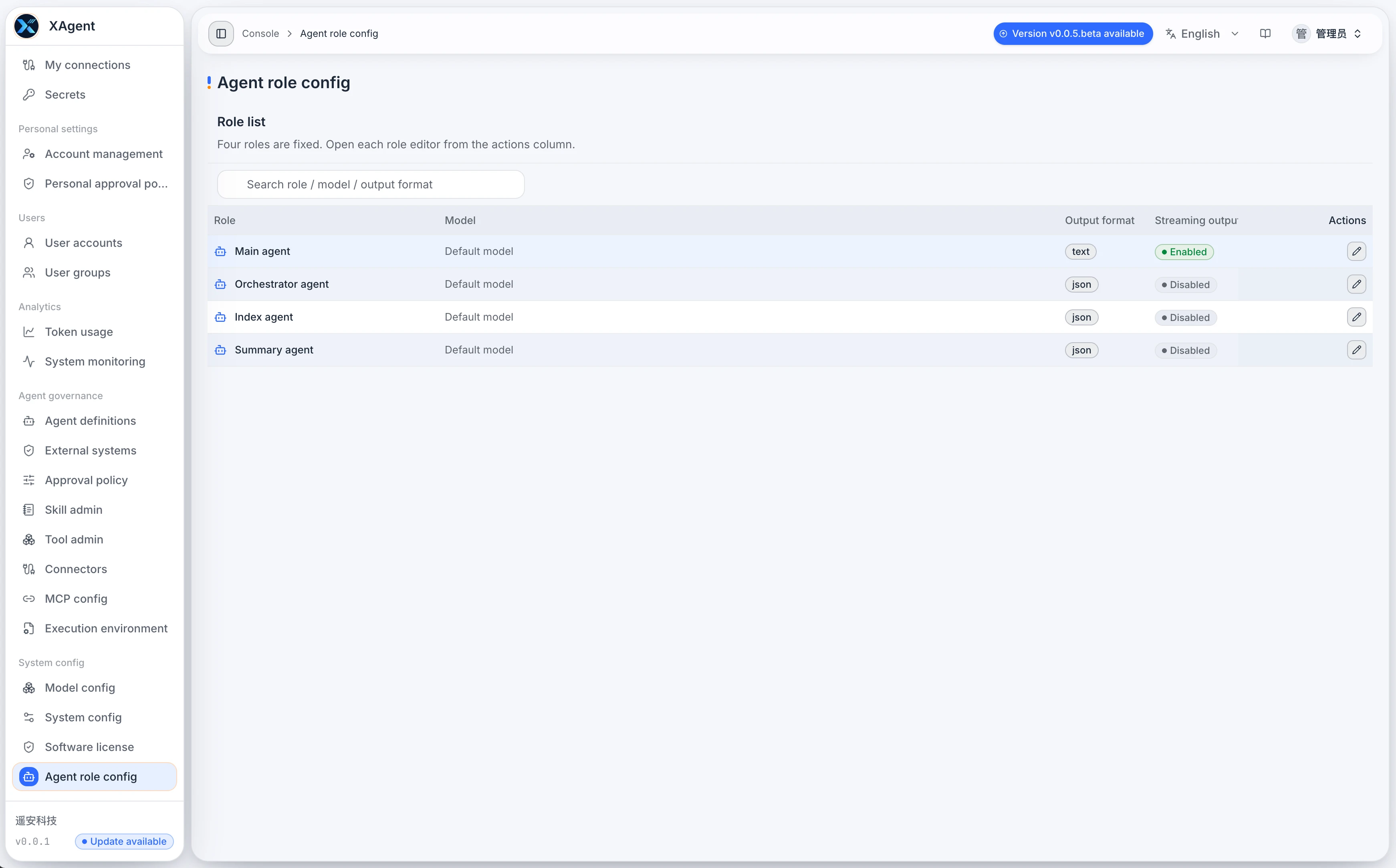
Agent Role Config
Menu: Admin console > System config > Agent role config (/admin/config/agent-roles)
Visibility: Administrators
- Session Agent: normal conversation, task progression, and Tool loops.
- Task capability orchestration: initialize or adjust Skills and Tools for confirmed tasks.
- Task Semantics Agent: determine how a new message affects the current task and generate Skill, Tool, and Memory retrieval terms.
- Image Generation Agent: use a dedicated image-generation model and request policy.
- OCR Agent: extract image text and interpret non-text visual content.
- Summary Agent: generate retrieval summaries for Tools, Skills, and Memories.
- Memory Extraction Agent: extract reusable long-term memories from archived Session history.
- Context Compression Agent: compress history into structured context that can continue execution.
Current roles expose model selection, maximum concurrency, an applicable streaming switch, and llm_policy. The image-generation role selects only image-generation models and has no chat-streaming switch; other roles exclude image-generation models. Save role changes together and keep a rollback configuration.
The older screenshot’s Index Agent, sub-Agent-blueprint orchestration, combined summary/context-compression responsibility, and separate output-format field belong to the earlier role model or UI. Use the eight current roles above rather than copying the old screen field by field.