Personal Settings Pages
Version scope: current-field and behavior corrections below were checked against source
43d2698on 2026-10-01. Older public binaries may differ; verify your installed version before following a changed UI or operation.
Personal Settings maintains the current account’s profile, memories, and approval preferences. Global policies and service configuration remain in the separate admin console.
Screenshot note: The account and approval illustrations are from
v005. Use them as field references; current entry names, editable fields, and personal-policy override behavior are described below.
Account Management
Menu: Personal settings > Account (/app/account-management)
Visibility: All users
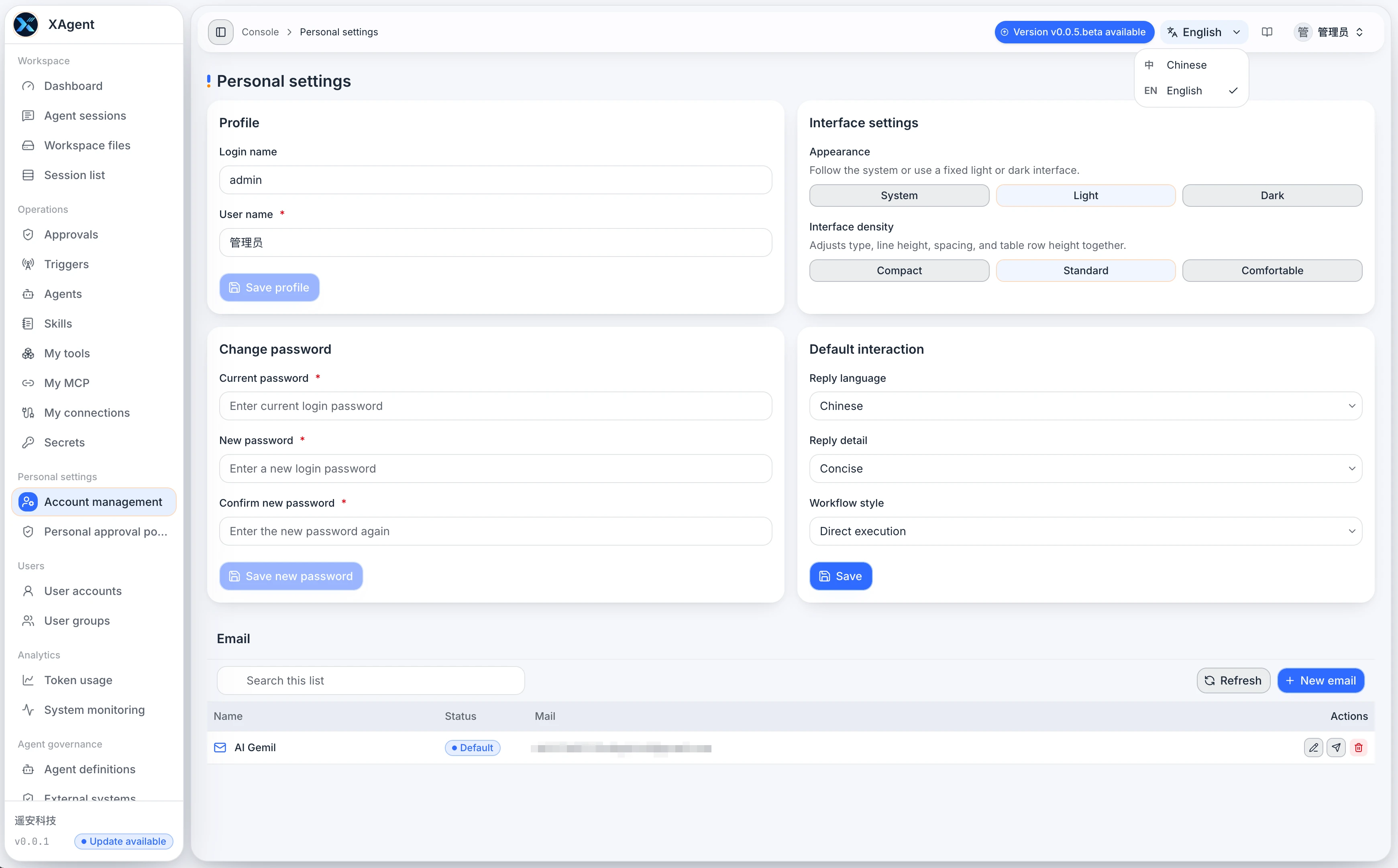
- View the read-only login name and update the display name; the login name is not editable on the personal page.
- Choose system, light, or dark appearance and compact, standard, or comfortable density.
- Set the default reply language, detail level, and workflow style.
- Change the login password and manage personal sender addresses.
To change a password, enter the current password, new password, and confirmation. Save each section through its own control. Appearance and density are client-side interface preferences, not organization-wide theme settings.
My Memories
Menu: Personal settings > My memories (/app/memories)
Visibility: The signed-in user
- Search memory content, filter by kind, scope, and source, and browse paginated results.
- Create a memory to retain, and inspect existing content, evidence, and raw data.
- Check the specific item before deleting it. Deleting a memory is a different operation from clearing Session history.
See Memory Management for purposes and boundaries.
Personal Approval Policy
Menu: Personal settings > Approval policy (/app/approval-policy)
Visibility: The signed-in user
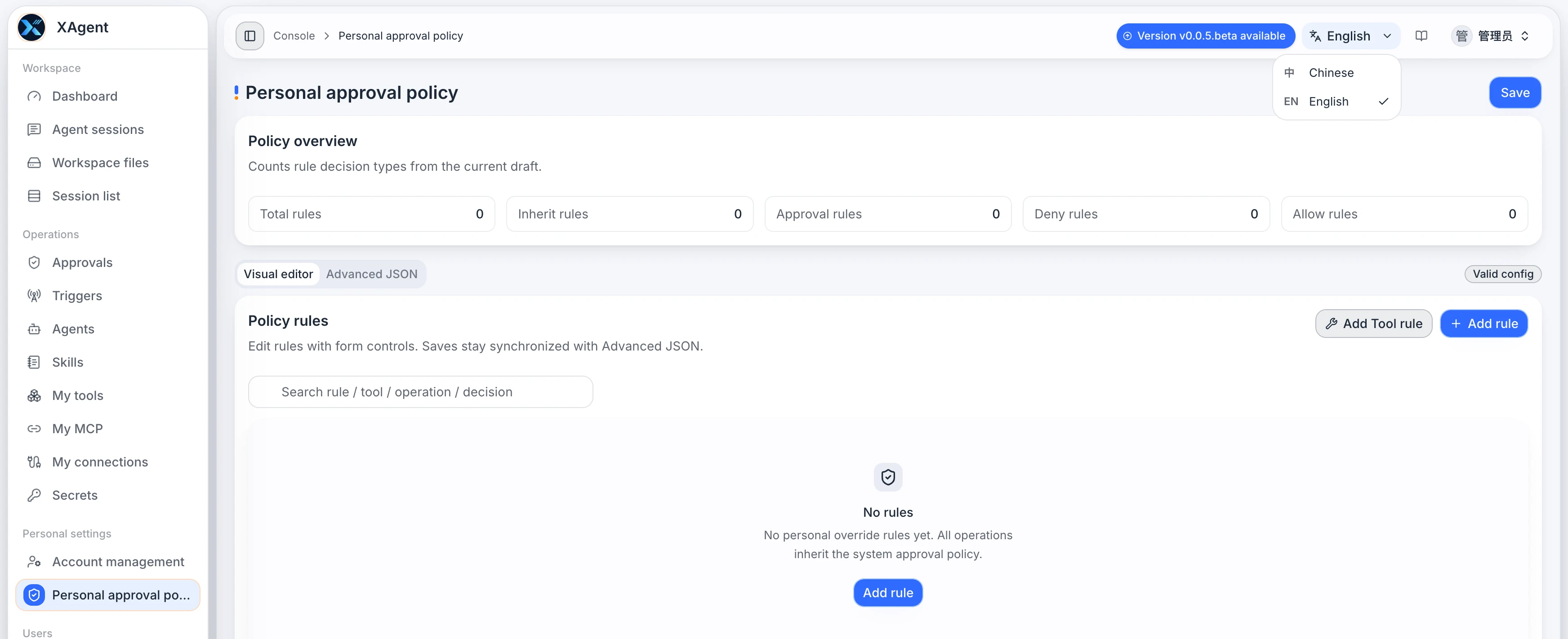
Personal Approval Policy adjusts confirmation preferences for the current user. In the current beta, it acts as a personal override layer over system policy:
- Review rule decisions and risk labels.
- Add stricter user rules for specific tools or actions.
- Personal rules are evaluated first. System policy is used when no personal rule matches or the matched rule selects Inherit.
- A matching personal decision overrides the system decision, so it can also relax an approval requirement rather than only adding restrictions.
Deployments that require administrator rules to remain non-relaxable must not treat the current personal override mechanism as a mandatory security floor. Before deployment, administrators should assess whether to expose personal policy configuration and verify the resulting approval decisions with real tasks.
See Approval Policies for the full workflow.
After changing a rule, verify the effective result with a controlled test task under the same user. An administrator using the user app also has a personal override layer.