xAgent User Manual
Start with the work you want to do; you do not need to read every concept first. If you already have an account, try a first task. Deployment owners should start with installation and model validation. The full role index, page directory, and shared operation guidance remain below.
Match the documentation to your version
The public binary release is now v0.1.0 (2026-10-18). The additions in this revision follow the 0.1.0 release notes; older technical pages retain their own source-review dates. A documentation date does not establish that your deployment includes it. Run xagent version or check Software License, then consult the Changelog. Actual pages, roles, installed tools, and external authorizations depend on your deployment.
How to Use This Manual
| Your Role | Start Here | Description |
|---|---|---|
| Ordinary user | Workspace | Start with Dashboard, Agent Session, and Workspace Files |
| User configuring advanced capabilities | Operations | Manage Triggers, Agents, Skills, Tools, MCP, connections, and Environment Variables |
| Administrator | User Management, Analytics, Agent Governance, and System Configuration | Manage global resources, execution environments, and system configuration |
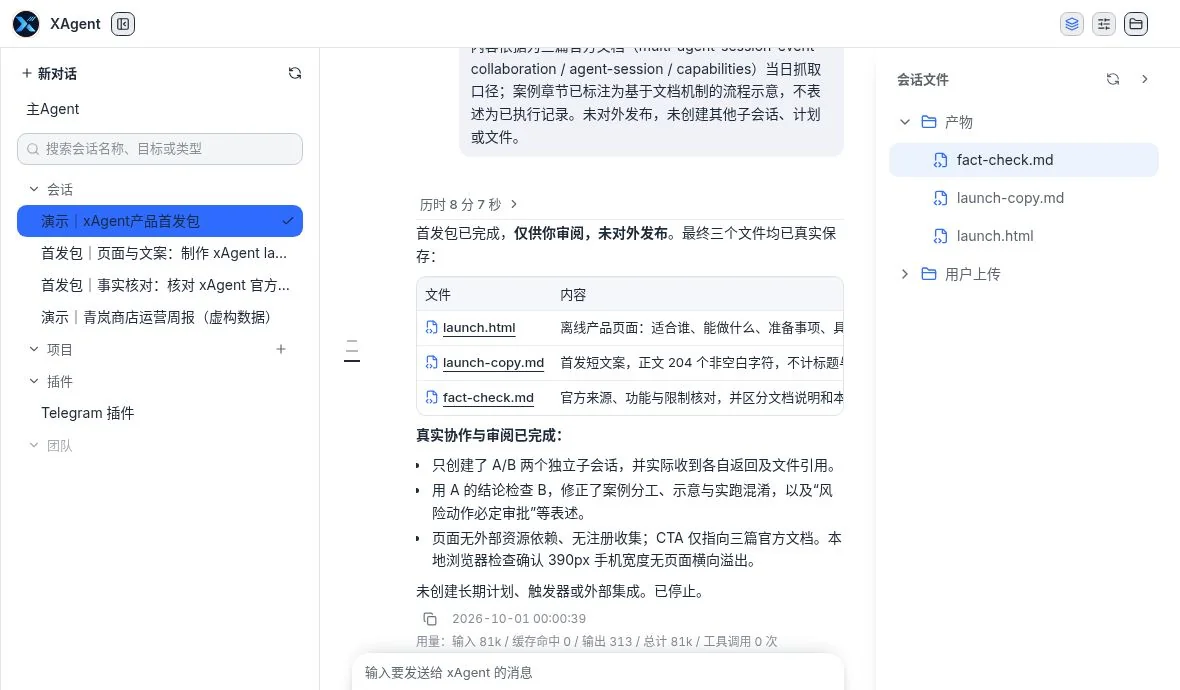
From a session to inspectable files: the launch-kit demonstration, completed with human review and follow-up instructions. Chinese UI with demonstration content.
Earlier interface reference (retained)
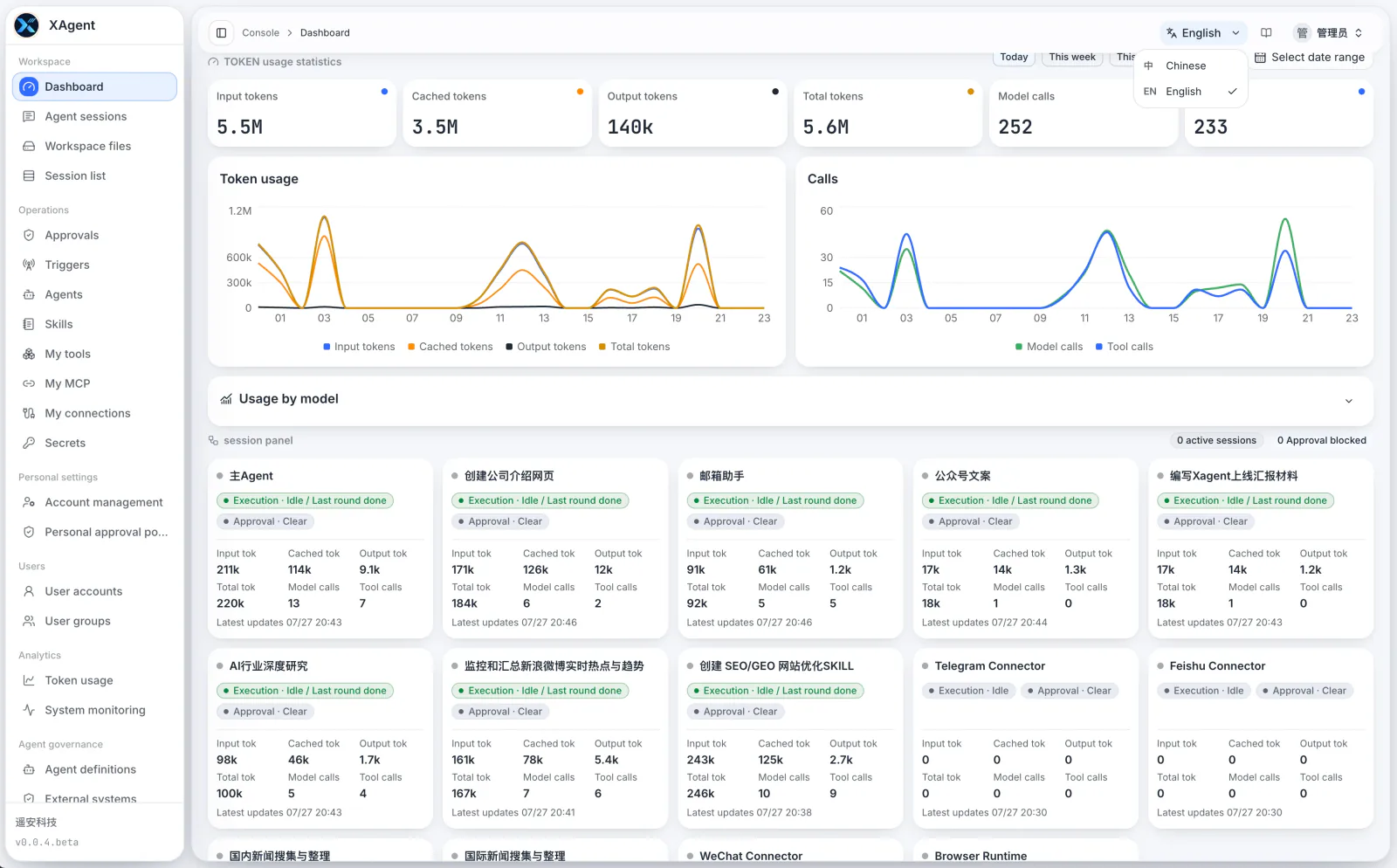
About the screenshots
The earlier screenshots come from a real console and preserve function and information-structure guidance; do not use them to locate current buttons. Environment-specific data such as email addresses, Session identifiers, task titles, connection targets, internal addresses, runtime directories, and authorization details has been redacted. Layouts vary by version and role. Current source separates the user app from the admin console; the earlier advanced-mode grouping is not a universal switch for current menus.
The Chinese manual uses Chinese interface screenshots, while the English manual uses separate English interface screenshots. These earlier images are not shared between languages. New execution evidence identifies its interface language; administrator pages without current access retain labeled earlier images.
Page Directory
Agent Capabilities
Workspace
Operations
Personal Settings
Administrator Pages
- User Accounts and User Groups
- Token Analytics and System Monitoring
- Agent Governance
- System Configuration
Shared Page Structure
- User settings are grouped into Workspace, Operations, and Personal Settings. Current source puts administration in a separate console; earlier versions placed admin groups in the same sidebar.
- The top bar shows breadcrumbs, interface language, Help, and the current account.
- Search, filters, refresh, and create actions usually appear below the page title.
- Tables or cards show current resources. The action column on the right opens details, editing, enable or disable actions, or deletion.
- When the left menu is collapsed, only icons remain. Hover to see names, or click the menu button in the top bar to expand it.
To confirm what xAgent can do and which files it can process, read Supported Agent Capabilities. For task-writing guidance, long-running tasks, or shortcut instructions, continue with the corresponding pages under Everyday Work and Advanced Workflows in the sidebar.