Supported Agent Capabilities
This page preserves the 54 built-in Skills inventory from v0.0.20.beta for task lookup and version comparison. They are not isolated chatbots. They are reusable task methods that xAgent can discover and load dynamically. One task may combine several Skills and then use Tools, MCP, or AgentPlugins for file processing, computation, and external actions.
The current public Server release is v0.1.0. Since 0.0.21.beta, the public Skill catalog uses individual artifacts: each Skill has an immutable ZIP and skill.json, replacing the full public Skill bundle and old startup migration. The 54-item inventory below is a version-specific reference, not a fixed-count promise for newer deployments.
Use Operations → Skills as the source for a specific deployment. Administrators can disable bundled Skills and add personal or shared Skills. Card counts also depend on installed sources and visibility, so they cannot establish the number bundled in a release.
| Inventory scope | Value | Scope |
|---|---|---|
| Bundled Skills | 54 | Built-in Skill directories in v0.0.20.beta |
| Manual capability groups | 6 | A navigation aid, not a system permission model |
| Web session attachment count and size | Determined by server file capabilities | Validated by file type and upload entry point; the console shows the limit before saving |
Start with Your Task
- Find out what is possible: start with the task groups, then use the example requests.
- Upload source material: check supported formats and processing. A successful upload does not establish complete understanding or original-layout preview.
- Get a downloadable file: choose an output format, then check its runtime dependencies.
- Connect an external system: review AgentPlugins or Tool Management for connection, account-permission, and approval requirements.
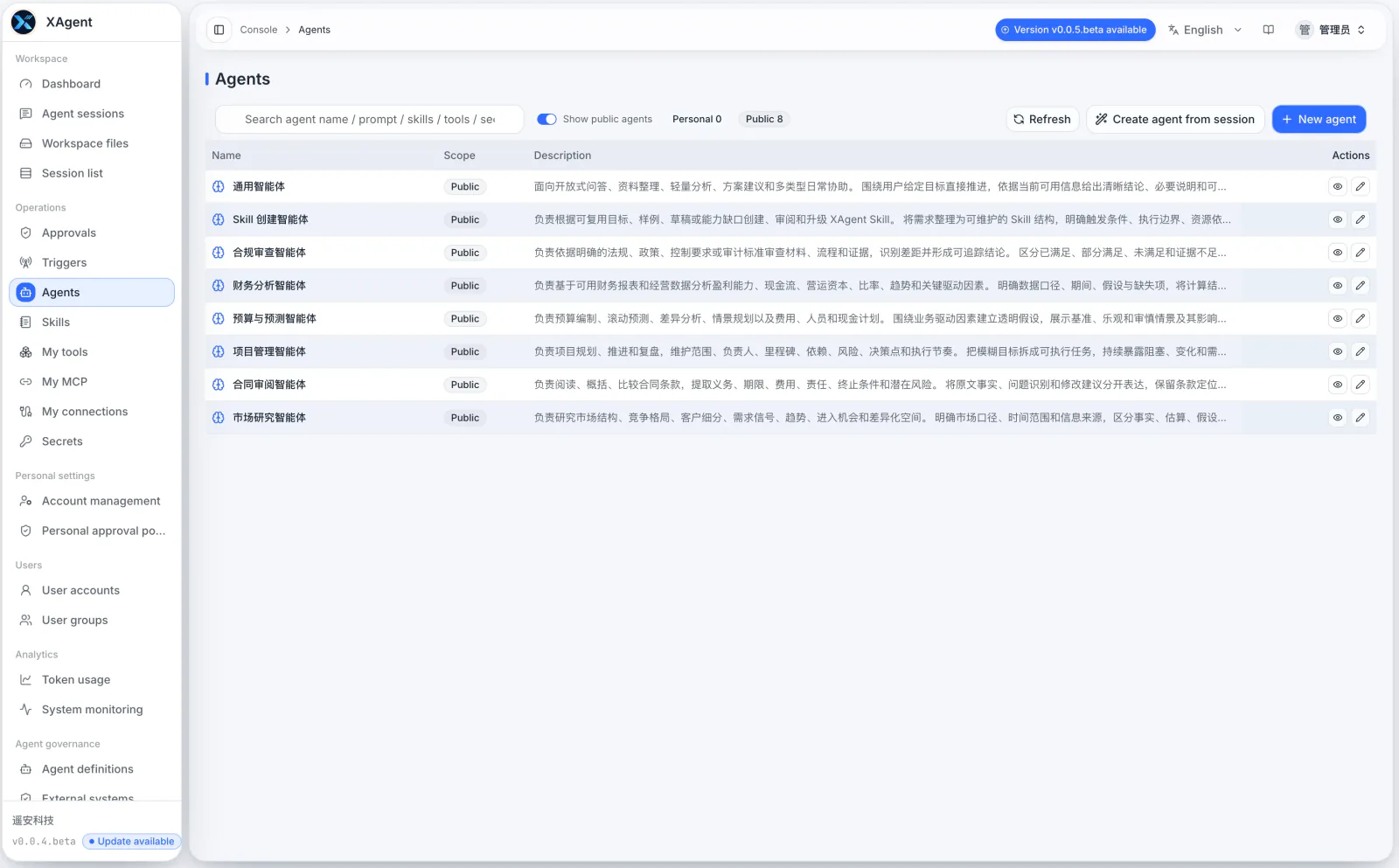
About the example
This image is an example of the English Agent management page and environment-specific data is redacted. The page will differ when a deployment adds or disables agents.
What Tasks Are Supported
The table below preserves all 54 built-in Skills from the v0.0.20.beta inventory. Users do not need to memorize Skill IDs. State the goal, source material, constraints, and delivery format; xAgent can discover and load suitable capabilities for the task.
| Capability area | What it can help with | Built-in Skills |
|---|---|---|
| Research, analysis, and decision support | Deep research, multi-source synthesis, market and policy analysis, business-model and pricing analysis, investment and financial-statement research, data visualization, and football analysis | deep-research, research-synthesis, market-research, policy-analysis, business-model-analysis, pricing-strategy, investment-research, financial-statement-analysis, data-visual-report-builder, football-match-analysis |
| Document understanding and content production | Read and compare material; create articles, official documents, knowledge-base content, meeting material, weekly reports, internal communications, SEO and social content, self-contained HTML reports, HTML slides, Word, PowerPoint, and Excel documents | document-understanding, writing-and-editing, blog-writing-workflow, official-document-drafting, knowledge-base-article, meeting-brief, meeting-recap, weekly-report, internal-comms, seo-content-strategy, social-media-content, html-report-builder, html-slide-builder, visual-design-selector, word-document-builder, powerpoint-builder, excel-workbook-builder |
| Product, project, and process work | Product discovery, requirements, solution briefs, project plans, process improvement, AI workflow design, training material, and personal productivity planning | product-discovery, product-requirements, solution-brief, project-management, operations-process-improvement, ai-workflow-automation, learning-and-training, personal-productivity |
| Marketing, sales, and customer operations | Campaign planning, sales outreach, CRM pipeline review, customer success, customer support, ecommerce operations, and growth experiments | marketing-campaign, sales-outreach, crm-pipeline-management, customer-success, customer-support, ecommerce-operations, growth-experimentation |
| Finance, legal, procurement, and people work | Receivables follow-up, budgeting, contract and compliance review, procurement and vendor evaluation, RFP responses, recruiting, performance material, and job-search preparation | accounts-receivable-collections, budget-and-forecasting, contract-review, compliance-review, procurement-and-vendor-management, rfp-proposal-response, recruiting-and-hiring, performance-review, resume-and-interview-prep |
| Technical work and capability extension | Read, explain, debug, modify, and validate code; create, review, and improve xAgent Skills; create reusable Agents | code-reading-and-change, skill-creator, agent-creator |
Example Requests
| Goal | Example request |
|---|---|
| Research and reporting | Research this market, separate facts from inferences and open questions, preserve sources, and create an HTML report. |
| Multi-document comparison | Compare the three uploaded proposals. Extract agreements, conflicts, risks, and source evidence in a comparison table. |
| Meetings and projects | Extract decisions, owners, due dates, and risks from the meeting notes, then create a project action list. |
| Spreadsheet analysis | Analyze revenue, cost, and anomalies in this workbook. Provide KPIs, charts, and a reproducible calculation method. |
| Contract and compliance work | Identify liability, term, auto-renewal, data-processing, and breach risks. Do not present the result as formal legal advice. |
| Code work | Read the repository and tests first, find the actual cause of this error, change only the necessary scope, and verify it. |
Supported Documents
The Web session upload control currently accepts these formats:
| File category | Upload formats | How xAgent handles them |
|---|---|---|
| Images | .png, .jpg, .jpeg, .webp | Creates a preview; a configured OCR model can extract visible text and necessary visual descriptions, and a vision-capable model can use the image for recognition or analysis |
.pdf | Extracts readable content by page and builds an index; Workspace supports PDF preview | |
| Word | .docx | Extracts headings, paragraphs, and tables; the preview shows extracted text, not native Word layout |
| PowerPoint | .pptx | Extracts slide titles, body text, tables, and notes; this is not native slide rendering |
| Spreadsheets | .xlsx, .csv, .tsv | Models read Excel through native Tools by worksheet and range instead of receiving the whole workbook as inlined text; Workspace supports table preview |
| Web and structured text | .html, .htm, .json, .xml, .yaml, .yml | Removes scripts and styles from HTML before converting it to Markdown; reads the remaining formats as text |
| Text and source code | .txt, .md, .log, .css, .js, .jsx, .ts, .tsx, .go, .py, .java, .c, .cc, .cpp, .h, .hpp, .rs, .sh, .sql | Reads, searches, compares, or modifies the material as text |
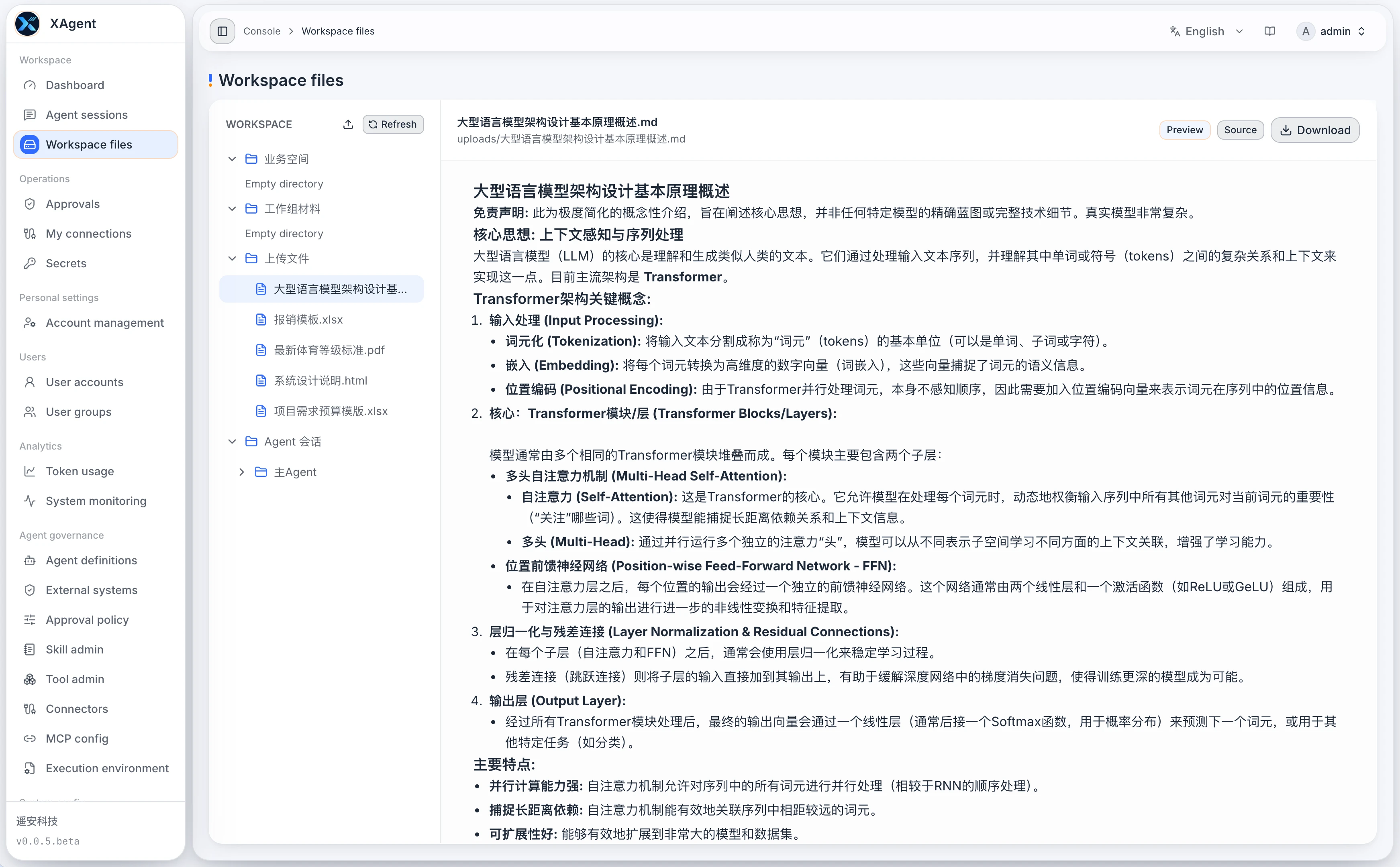
Upload support, content understanding, and preview rendering are different boundaries. xAgent prepares readable material for Word, PowerPoint, PDF, HTML, text, and other supported files. It can place short content in task context or let the agent read longer content in indexed blocks. Excel is no longer converted and inlined as complete readable text; the Agent reads the required scope through Excel Tools. Workspace preview separately renders text, Markdown, HTML, images, PDF, or spreadsheets. Passing the original file to a model as a native attachment still depends on the selected model's vision and file capabilities.
Common Output Formats
| Output | Current path |
|---|---|
| Markdown, TXT, JSON, CSV, and source files | Written directly into the Workspace for summaries, checklists, structured data, and code changes |
| PNG, JPEG, and WebP images | Created through image_generate and stored as immutable Session artifacts with preview support. Earlier versions used an image-generation capability switch on OpenAI-compatible configurations; source checked on 2026-10-01 uses a dedicated OpenAI Images Provider, which cannot be the default chat model |
| XLSX | excel-workbook-builder uses native Excel Tools to create and modify editable workbooks with formulas, formatting, tables, charts, recalculation, and optional PDF export |
| Self-contained HTML reports | html-report-builder creates responsive, offline reports designed for printing |
| HTML slide decks | html-slide-builder creates browser-based presentations; it is not a PPTX editor or exporter |
| PPTX | powerpoint-builder plans audience questions and content order before creating an editable deck from a declarative specification; it supports product proposals, technical architecture, project progress, and business analysis, with optional PDF export, but does not arbitrarily edit existing PPTX files |
| DOCX | word-document-builder creates editable Word documents with the built-in native layout, shared fonts, dedicated covers, linked tables of contents, tables, and brand styles; it can also inspect an existing DOCX before targeted updates to its body, styles, table cells, and images with word_update |
| Current Tools can inspect, validate, merge, extract pages from, and optimize PDFs; Word, PowerPoint, and Excel can export to PDF on request through LibreOffice installed on the server |
Word, PowerPoint, and PDF previews use consistent font and missing-glyph fallback. The LibreOffice installation and its system dependencies needed for Office-to-PDF export and Excel recalculation are not included in the Server archive; an administrator must install and verify it. Users can also create expiring file links when policy allows.
Word Creation, Templates, and Editing Boundaries
- Creation and layout:
word_createbuilds a complete DOCX from Markdown or structured content blocks, applying the built-in native layout resource, fonts, cover, tables, and brand styles. Explicit user requirements can override page settings and semantic styles. - Existing templates and placeholders: The current
word_createinterface has no arbitrary user-template path or generic placeholder-fill parameter. A user-provided DOCX template can be inspected as an existing document withword_inspect, then updated through targeted body-block changes or exact replacement of ordinary text placeholders withword_update. This does not promise support for arbitrary template fields or automatic filling of every template control. - Targeted edits and version checks:
word_updatecan change semantic styles, exact-match text, table cells, body blocks, and images. Updates require the file’s SHA-256 fromword_inspect; a changed file must be inspected again. A different target path can preserve the original document. - Tables of contents: New documents can generate a linked table of contents from level-one through level-three headings, with separate cover, contents, and body pages. Linked-contents generation does not promise arbitrary editing or automatic maintenance of Word TOC fields.
- Office features outside the supported promise: Arbitrary character-offset editing, tracked changes, Word comments, macros, embedded fonts, and pixel-identical rendering across systems remain outside the supported promise.
powerpoint-builder creates new PPTX files; it does not preserve or arbitrarily modify an existing PPTX or POTX. Inspect the final file when exact source-layout reproduction or complex Office features are required.
Boundaries
- A Skill provides a method; it does not mean an external system is already connected. Sending messages, writing to a CRM, publishing content, or changing business data requires the corresponding Tool, MCP or AgentPlugin, account authorization, and approval policy.
- Image attachments already support OCR when an administrator configures a suitable vision model. OCR currently handles images; a fully scanned PDF without a text layer remains unsupported and may yield no useful content through native text parsing.
- Encrypted, damaged, or oversized files may fail processing. A long document may show partial completion while prepared content remains available through indexed reads.
- Contract, compliance, finance, investment, and people-related Skills support analysis and preparation. They do not replace final judgment by qualified legal, accounting, audit, or other professionals.
- The bundled set may change by release. Use Operations → Skills for the live deployment state, and use Workspace for task files and outputs.