Agent Governance Pages
Version scope: current-field and behavior corrections below were checked against source
43d2698on 2026-10-01. Older public binaries may differ; verify your installed version before following a changed UI or operation.
Agent Governance is in the separate /admin console, is visible only to administrators, and manages global capabilities, execution boundaries, and public resources. Personal connections, personal resources, and the current user’s approvals remain in /app.
Screenshot note: The retained
v005images are not new screenshots of the current admin console. In particular, Execution Environment now uses a runtime-package catalog; the old counters and Refresh Probe action do not map directly to the current workflow.
Agent Management
Menu path: Admin console > Agent governance > Agent definitions (/admin/agent-definitions)
Visible to: Administrators
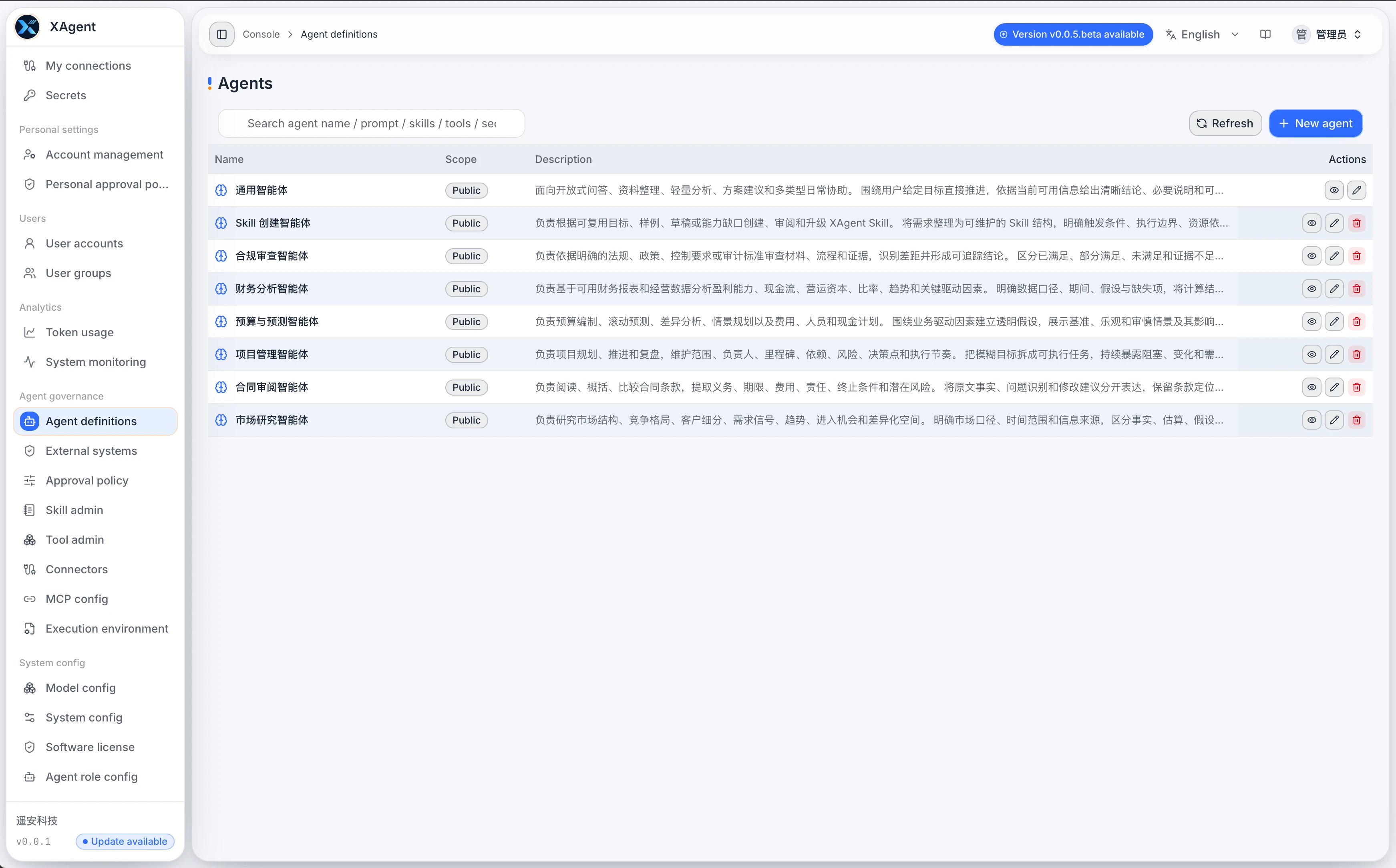
Administrators maintain built-in, public, and system-scoped Agent definitions here:
- View definition sources, role descriptions, and capability dependencies.
- Create, edit, capture, or inspect Agent definitions.
- Public Agents are available for users to select, while personal Agents remain managed by their respective users.
Approval Policy
Menu path: Admin console > Agent governance > Approval policy (/admin/approval-policy)
Visible to: Administrators
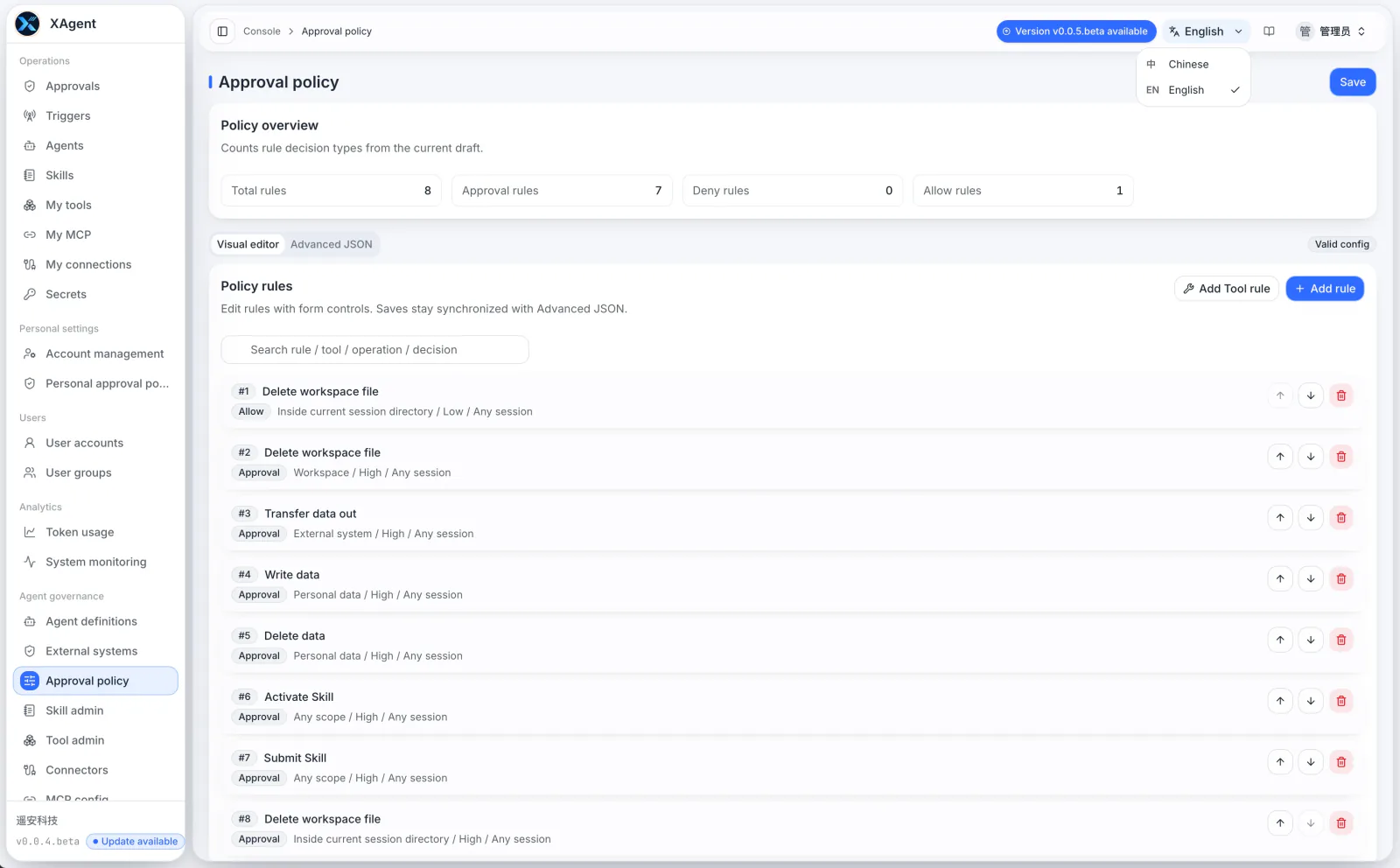
Administrator Approval Policy maintains system-level action-control rules:
- Configure allow, confirmation, or deny rules for Tools or atomic operations and label their risk; the risk label itself is not an additional independent matching condition.
- Set global rules for specific Tools and actions.
- The current beta evaluates personal rules first. System rules apply when no personal rule matches or the matched rule selects Inherit.
- A matching personal decision overrides the system decision, so system rules are not a mandatory floor that personal policies cannot relax.
If an organization requires administrator rules to always take precedence and remain non-relaxable, assess whether to expose personal policy configuration before deployment and verify the resulting approval decisions. Do not assume the current override mechanism satisfies that requirement. See Approval Policies for details.
Skill Management
Menu path: Admin console > Agent governance > Skill admin (/admin/skills)
Visible to: Administrators
Administrator Skill Management governs built-in and public Skills:
- Search, inspect, validate, and maintain Skill resources.
- Manage public publishing, review status, and updates.
- Check whether a Skill declares the Tools, resources, and safety boundaries it requires.
Tool Management
Menu path: Admin console > Agent governance > Tool admin (/admin/tools)
Visible to: Administrators
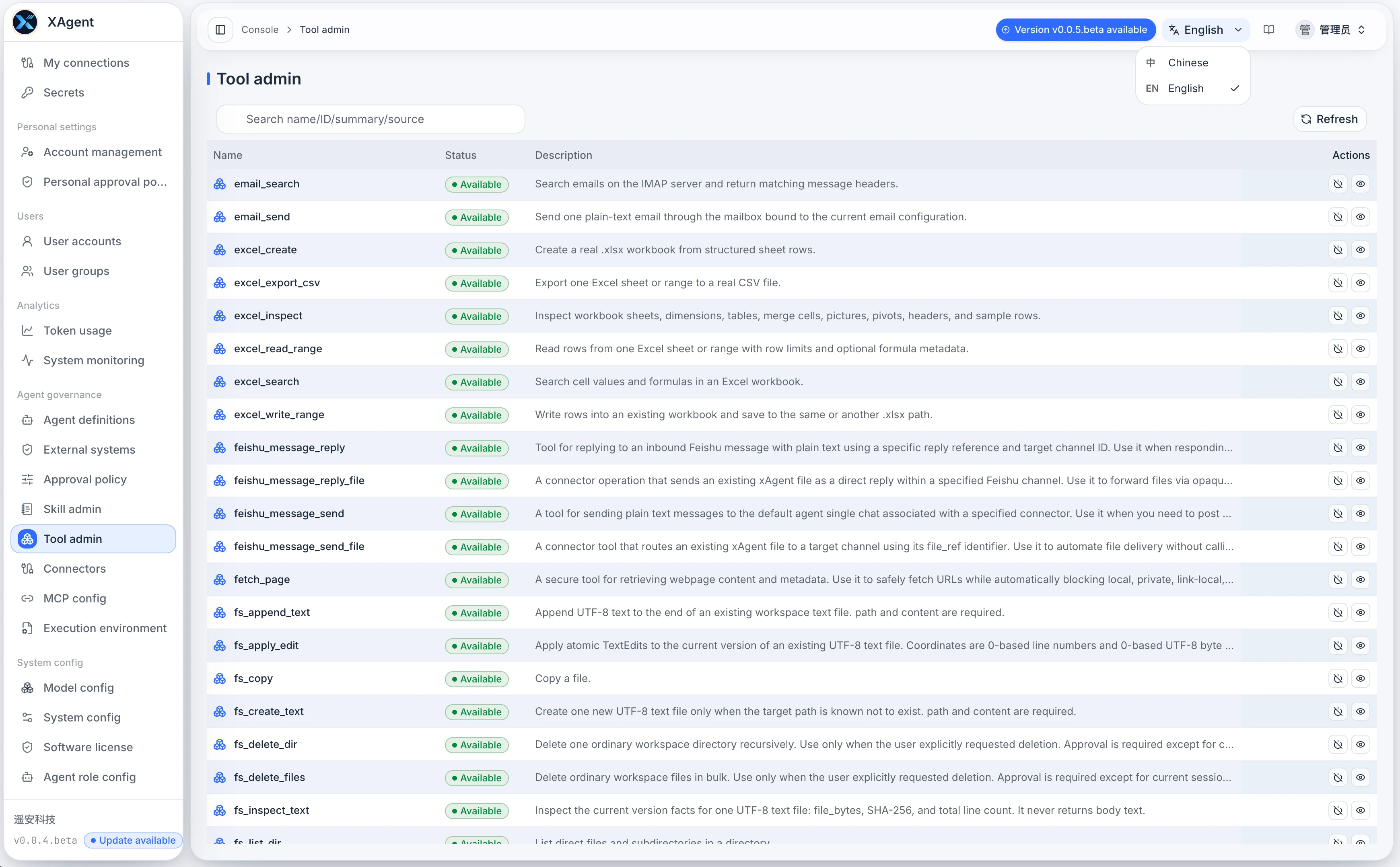
Tool Management brings together every Tool the system can discover:
- Filter by Tool name, source, risk, and status.
- View parameter contracts, permissions, approval requirements, and reasons for unavailability.
- Control whether a Tool enters the user-visible discovery and execution scope.
AgentPlugin Connectors
Menu path: Admin console > Agent governance > Plugin management (/admin/plugins)
Visible to: Administrators
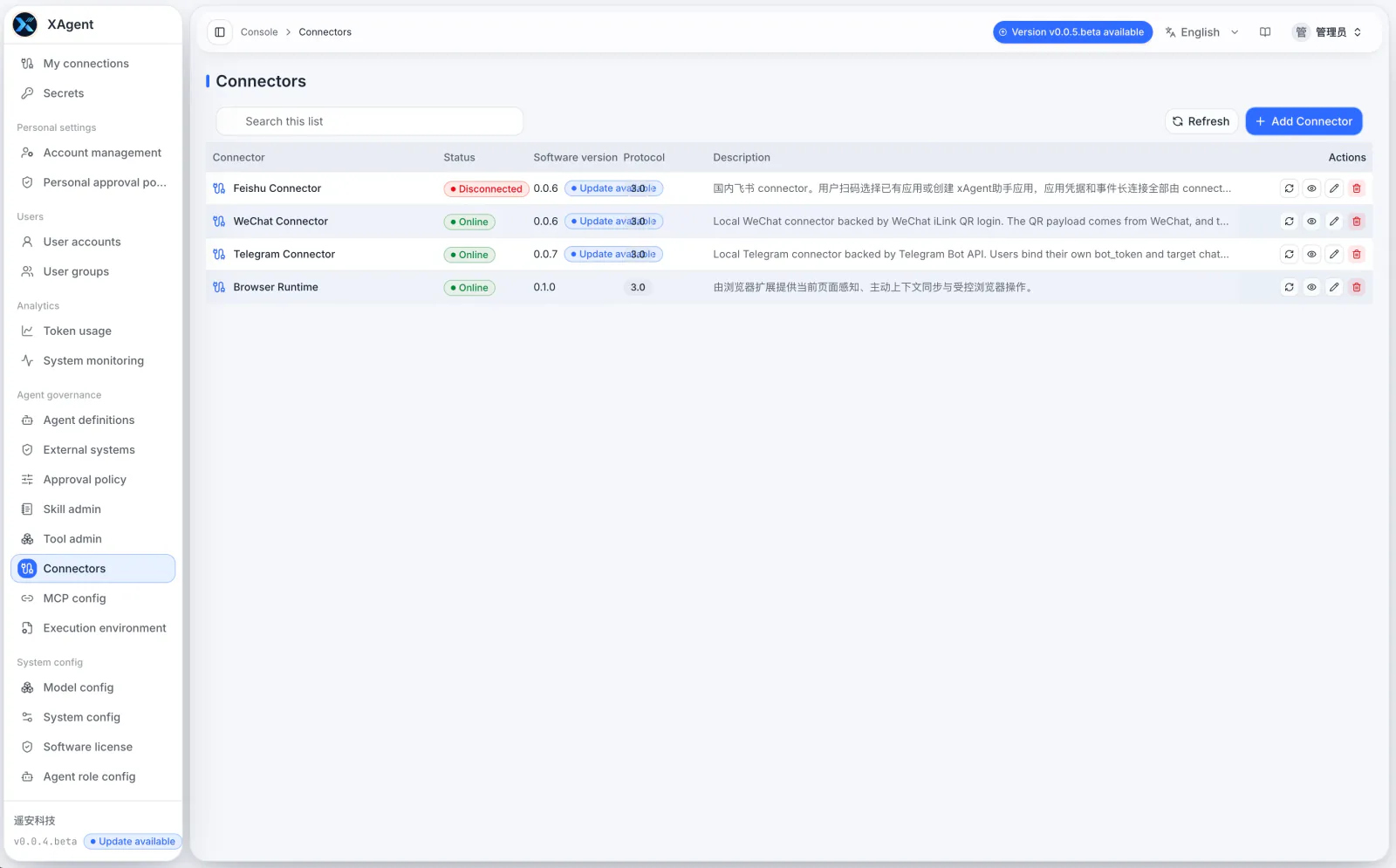
AgentPlugin Connectors manages plugin services installed in the system:
- View software versions, protocol versions, online status, and update notices.
- Add an AgentPlugin and edit its address and authentication configuration.
- Refresh runtime status, inspect details, or remove instances that are no longer used.
See AgentPlugin Guide for installation instructions.
MCP Configuration
Menu path: Admin console > Agent governance > MCP config (/admin/config/mcp)
Visible to: Administrators
MCP Configuration maintains system-scoped MCP services:
- Create a service and choose its transport protocol.
- View health status, discovered Tool count, and service address.
- After editing or deleting a configuration, check whether My MCP and the user-side Tool list have synchronized.
Execution Environment
Menu path: Admin console > Agent governance > Execution environment (/admin/file-processing)
Visible to: Administrators
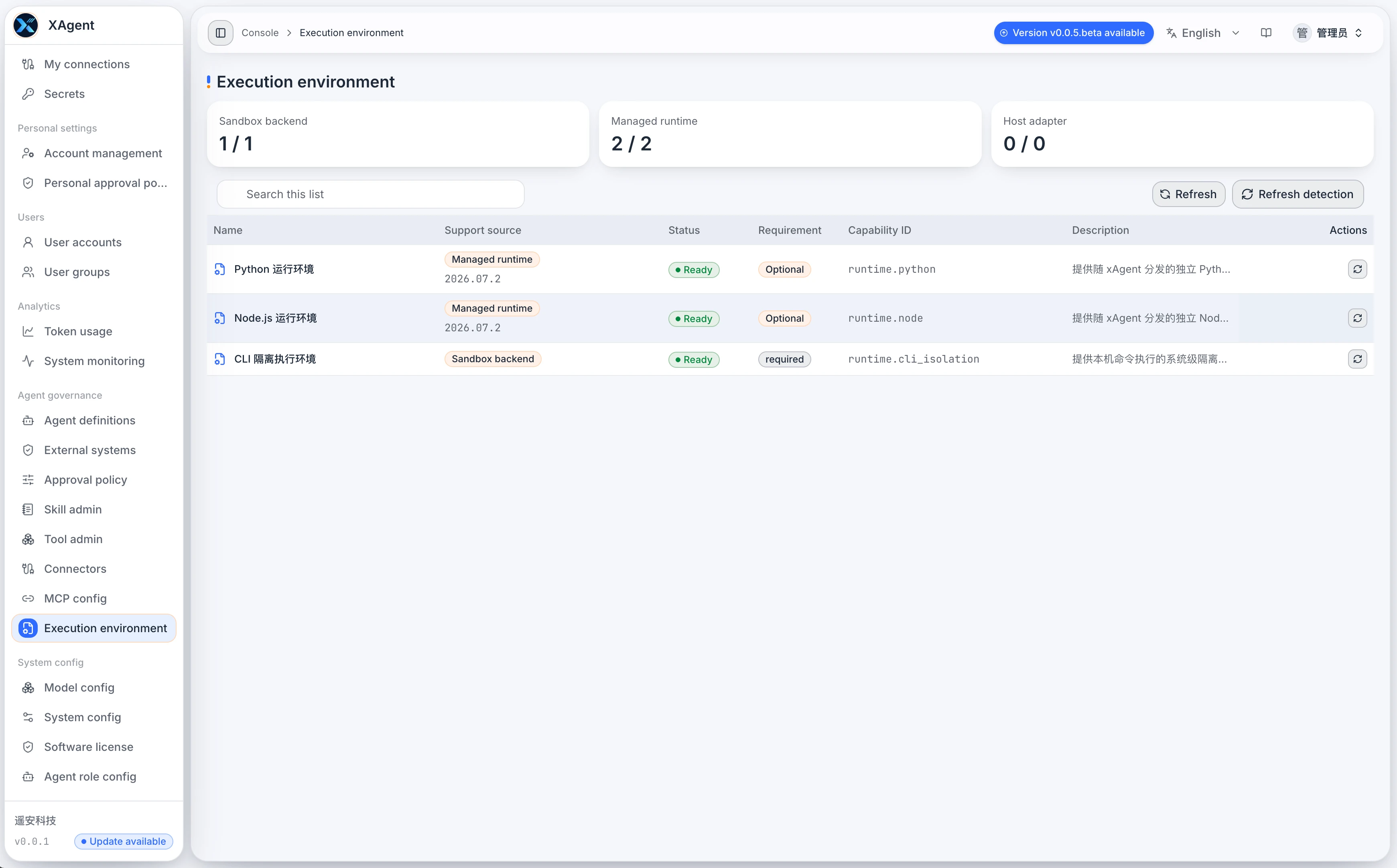
Execution Environment shows the runtime packages required by tasks, summarized as catalog, installed, and pending packages:
- Inspect each package’s name and ID, layer, priority, status, catalog and installed versions, download size, capabilities, and detection command.
- Use Refresh catalog to update catalog information; check the source settings and each package’s installation state.
- Packages with an available update provide an upgrade action. After submitting an upgrade, wait for installation to finish and inspect errors and the resulting status.
- Verify Python, Node.js, and other dependencies through current package status and a representative task; a catalog loading error is not evidence that the environment is ready.
The old screenshot’s sandbox-backend, managed-runtime, and host-adapter counts and Refresh Probe action (ProcessSandbox / Runtime Assets) remain as historical UI references. When ProcessSandbox cannot construct the isolated environment, it returns an error rather than falling back to unisolated execution. Repair unavailable dependencies and revalidate the affected tools first.
Verification After a Change
- Confirm whether the change concerns a system or personal resource, and record the previous configuration.
- After saving, open the relevant user page and check visibility, authentication, and Tool readiness.
- Validate with a clearly scoped, low-risk task; if approval is involved, check both that user’s personal rules and the system rules.
- Inspect the error and originating Session after a failure. A saved configuration does not establish that a task ran successfully.