3 posts tagged with "security"

View all tags

How xAgent Backup and Disaster Recovery Work: Incremental Snapshots and recovery.yml

· 7 min read

A self-hosted backup needs to answer more than whether bytes reached remote storage. It needs to show that the data can be restored, how much downtime restoration requires, and whether a failed cutover can return to the previous state.

xAgent 0.0.8.beta turns those questions into a verifiable procedure: create encrypted incremental snapshots while the service is running, download and verify restore data online, switch directories after shutdown, then confirm or roll back.
Route Sensitive AI Agent Work to an Internal LLM by Agent and Session

· 9 min read

An organization does not need to choose between running every task on an internal model and sending every task to a third-party API. xAgent can create an Agent for sensitive work that defaults to an internal model, then let its Sessions use the matching model configuration: general work can use an external model, while restricted work starts with a model configuration that points to an internal service. The model configuration selects the final Provider, so the two workloads use separate model paths.

This is a specific way to configure an Agent around a data boundary. It complements the general Agent Management workflow; it is not, by itself, an absolute claim that every byte of data stays inside the company. This article explains how to establish the boundary, verify it, and understand what else must be controlled.

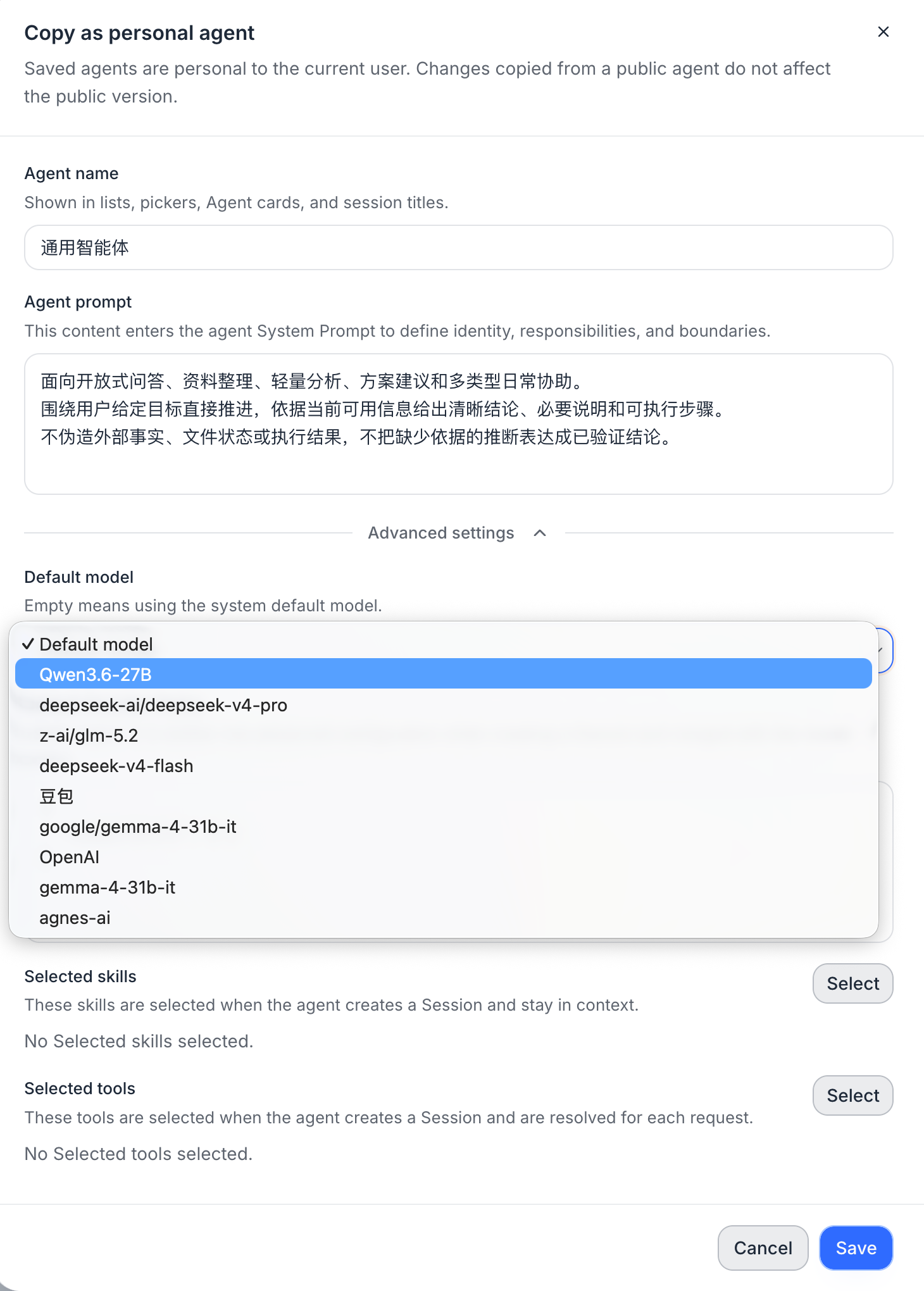
Copying an xAgent as a personal Agent, with the default model selector in Advanced settings

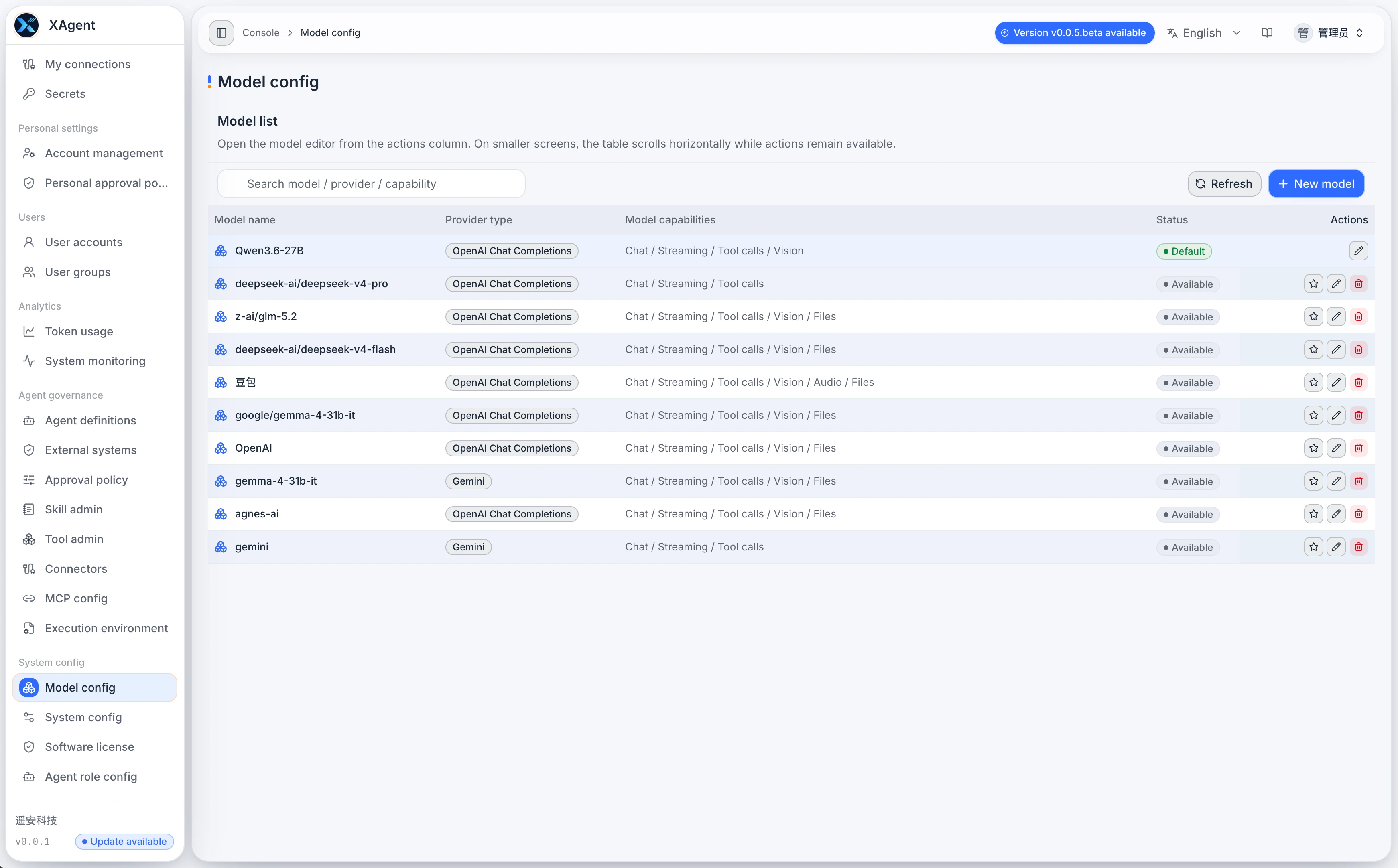
The xAgent Model Configuration page showing the model list, Provider, connection details, and capability options

Should an AI Agent Run on a Personal Computer or a Server?

· 5 min read

Many people first try an AI Agent as a desktop tool. That works well for experiments, coding, and one-off tasks. But once an Agent reads files, calls external systems, waits for approval, generates reports, or needs to be used repeatedly by a team, the question is no longer only whether the model is capable enough. It is where the Agent should run.

This article is not about choosing a particular model. It explains when a personal computer is sufficient, when a server-side deployment is the better fit, and why teams that depend on Agents for ongoing work usually need a long-running service.

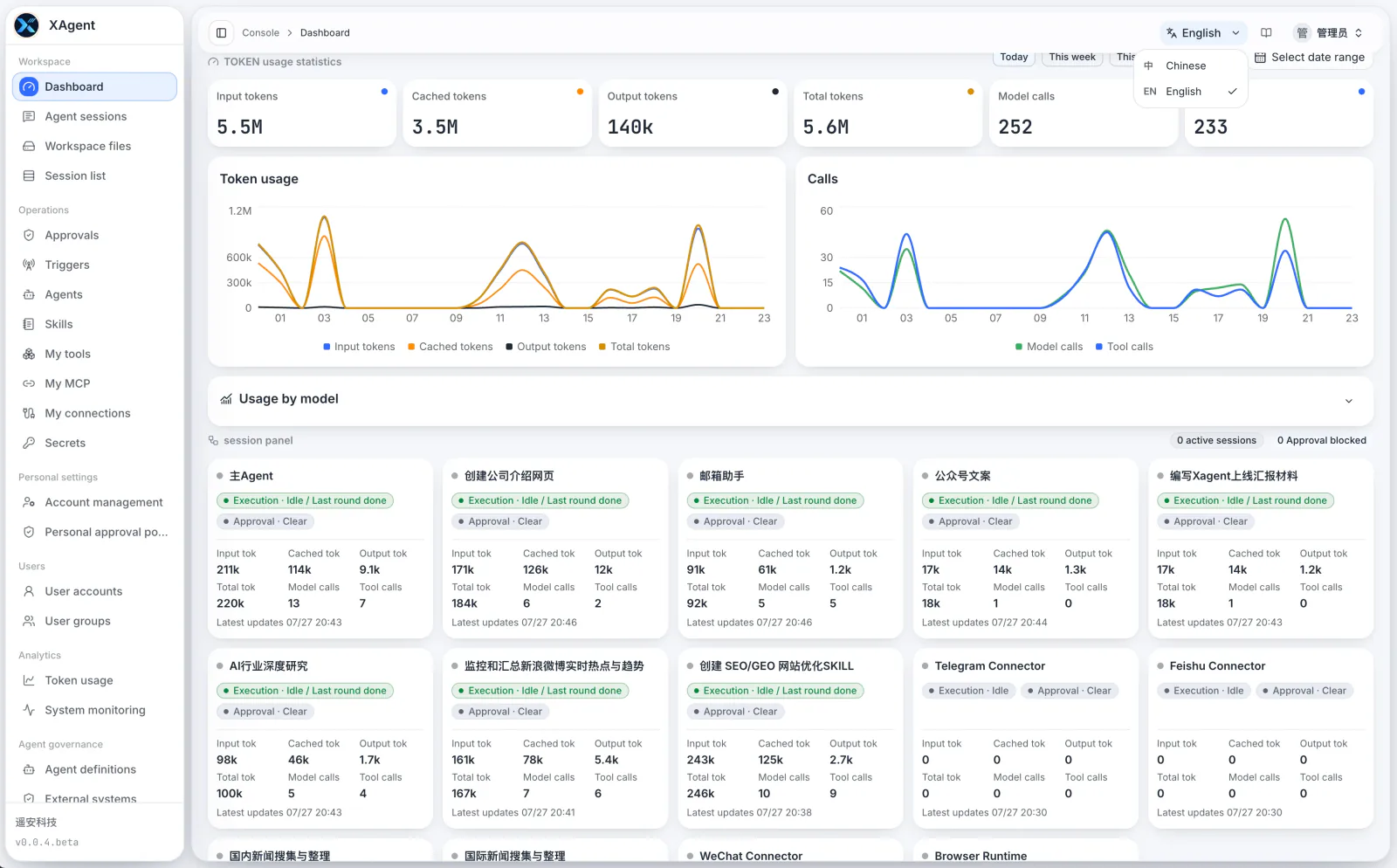
The xAgent server-side dashboard showing centralized model usage, Sessions, and Tool calls