5 posts tagged with "ai-agent"

View all tags

Why I Built xAgent

· 15 min read

I started building xAgent in April 2025.

The original idea was straightforward: build a task-oriented Agent that could run work on its own and turn AI into real automation. Looking back, that sentence sounds simple. Most of what I have done over the past year has been filling in everything hidden inside the words “run work on its own.”

The first version used a single Agent. I quickly ran into a problem: once the prompt focused its attention on one kind of work, the Agent could do that work well but handle other tasks terribly. Fix one side and it would forget the other. Ask it to pay attention to everything and it would end up paying proper attention to nothing.

That led me to multiple Agents, each responsible for a different part of the work and able to collaborate with the others. The idea worked, but as soon as they started running together, the next problem became obvious: tokens were too expensive.

Route Sensitive AI Agent Work to an Internal LLM by Agent and Session

· 9 min read

An organization does not need to choose between running every task on an internal model and sending every task to a third-party API. xAgent can create an Agent for sensitive work that defaults to an internal model, then let its Sessions use the matching model configuration: general work can use an external model, while restricted work starts with a model configuration that points to an internal service. The model configuration selects the final Provider, so the two workloads use separate model paths.

This is a specific way to configure an Agent around a data boundary. It complements the general Agent Management workflow; it is not, by itself, an absolute claim that every byte of data stays inside the company. This article explains how to establish the boundary, verify it, and understand what else must be controlled.

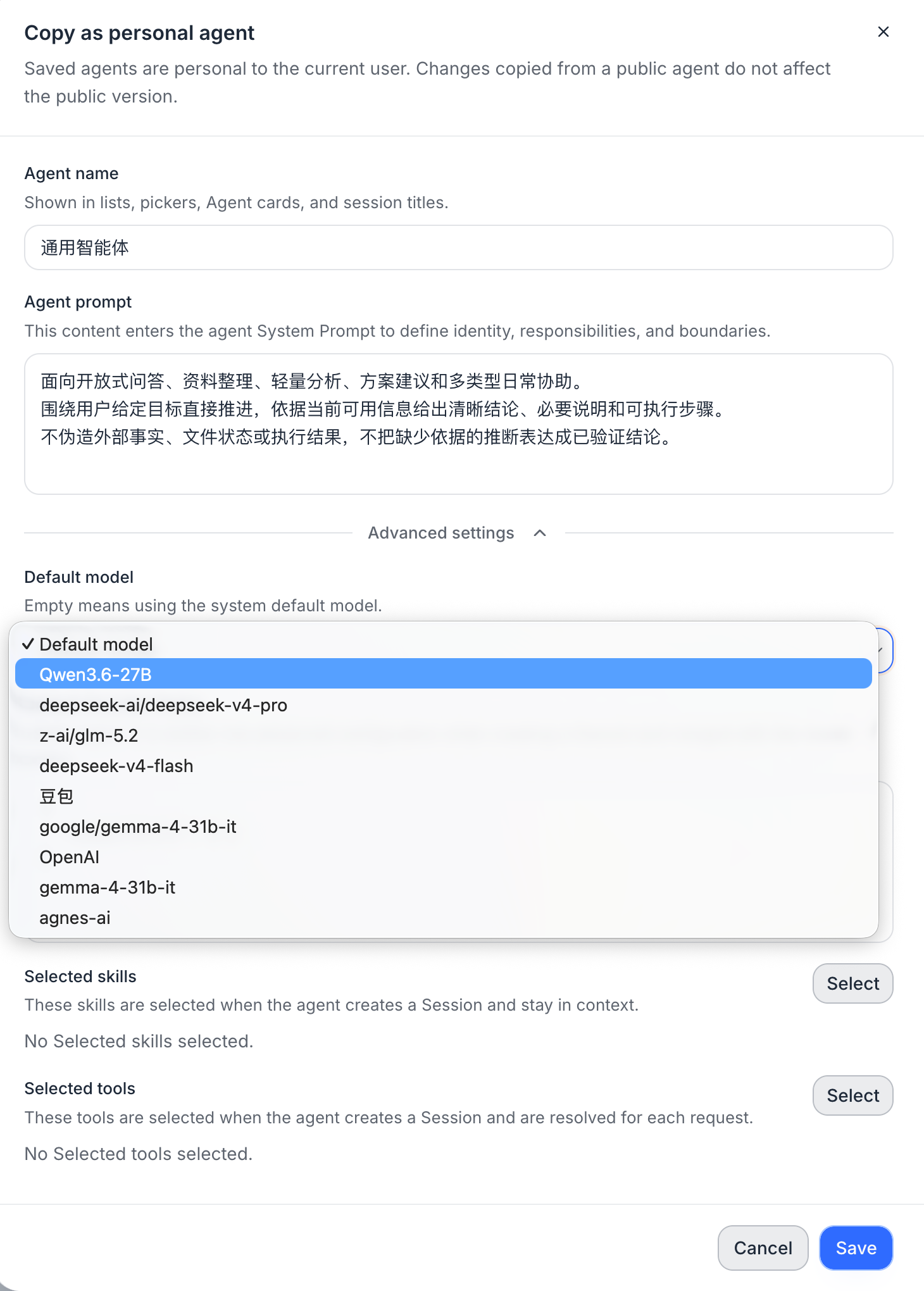
Copying an xAgent as a personal Agent, with the default model selector in Advanced settings

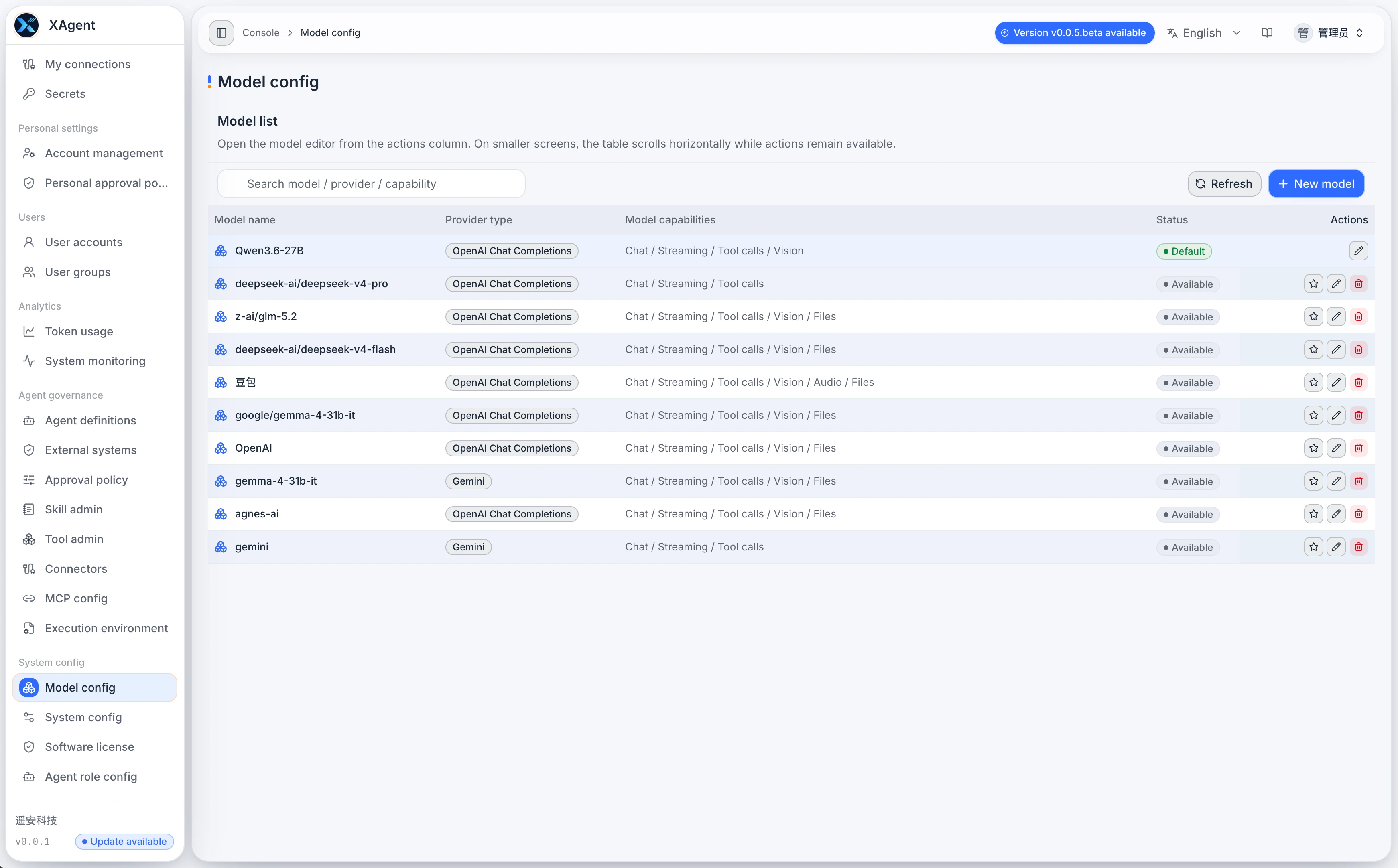
The xAgent Model Configuration page showing the model list, Provider, connection details, and capability options

Should an AI Agent Run on a Personal Computer or a Server?

· 5 min read

Many people first try an AI Agent as a desktop tool. That works well for experiments, coding, and one-off tasks. But once an Agent reads files, calls external systems, waits for approval, generates reports, or needs to be used repeatedly by a team, the question is no longer only whether the model is capable enough. It is where the Agent should run.

This article is not about choosing a particular model. It explains when a personal computer is sufficient, when a server-side deployment is the better fit, and why teams that depend on Agents for ongoing work usually need a long-running service.

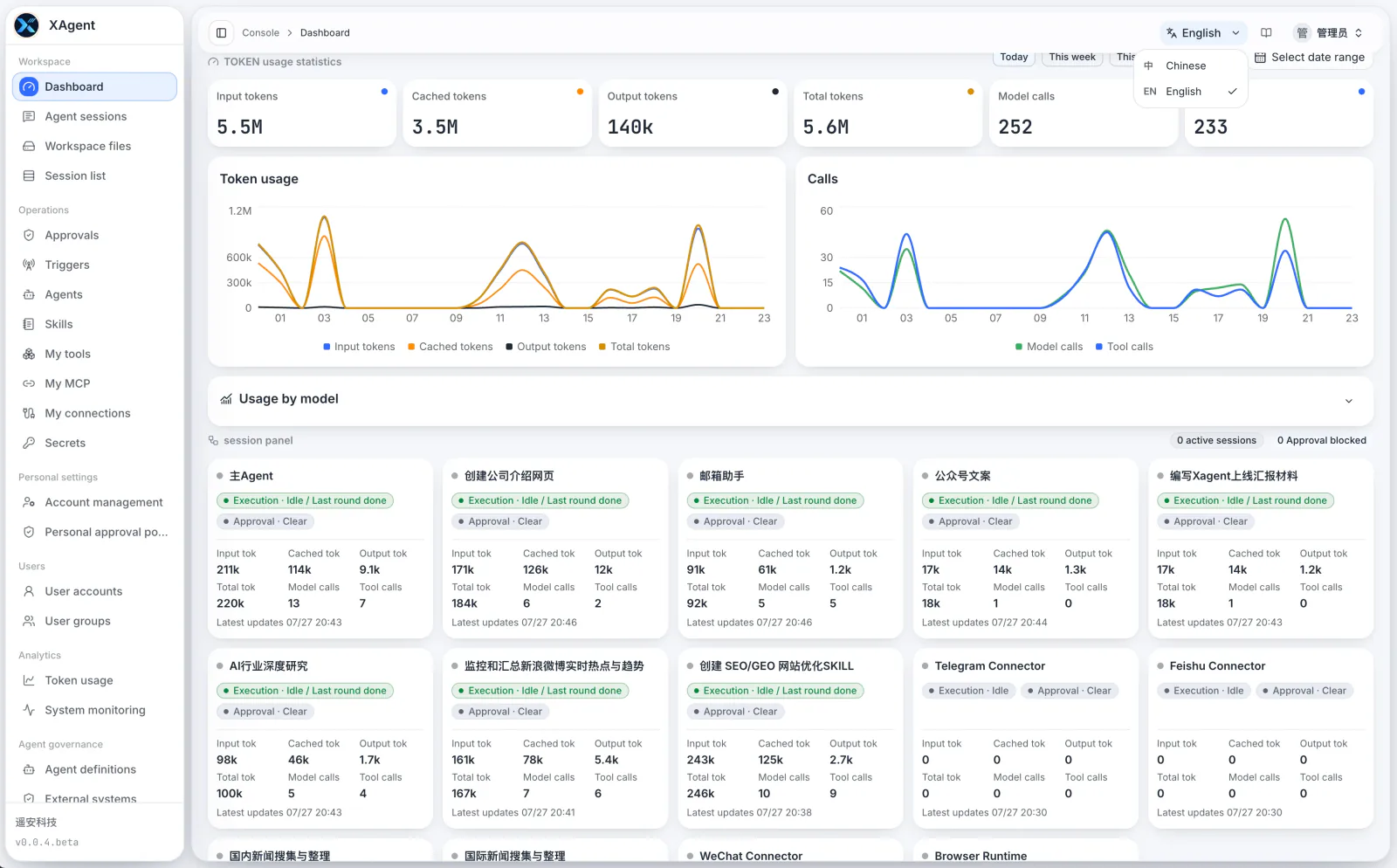
The xAgent server-side dashboard showing centralized model usage, Sessions, and Tool calls

MCP vs. Connectors: Two Paths for an AI Agent to Reach External Systems

· 5 min read

MCP and Connectors are often mentioned together when an AI Agent needs to work with external systems. Both can expose capabilities beyond the Agent itself, but they solve different problems.

In short, MCP is closer to a set of tools an Agent can call while doing work. A Connector is closer to a two-way channel that carries a user's identity, messages, and events into and back out of the system. Keeping those responsibilities separate prevents account authorization, message entry points, and tool calls from becoming one indistinct layer.

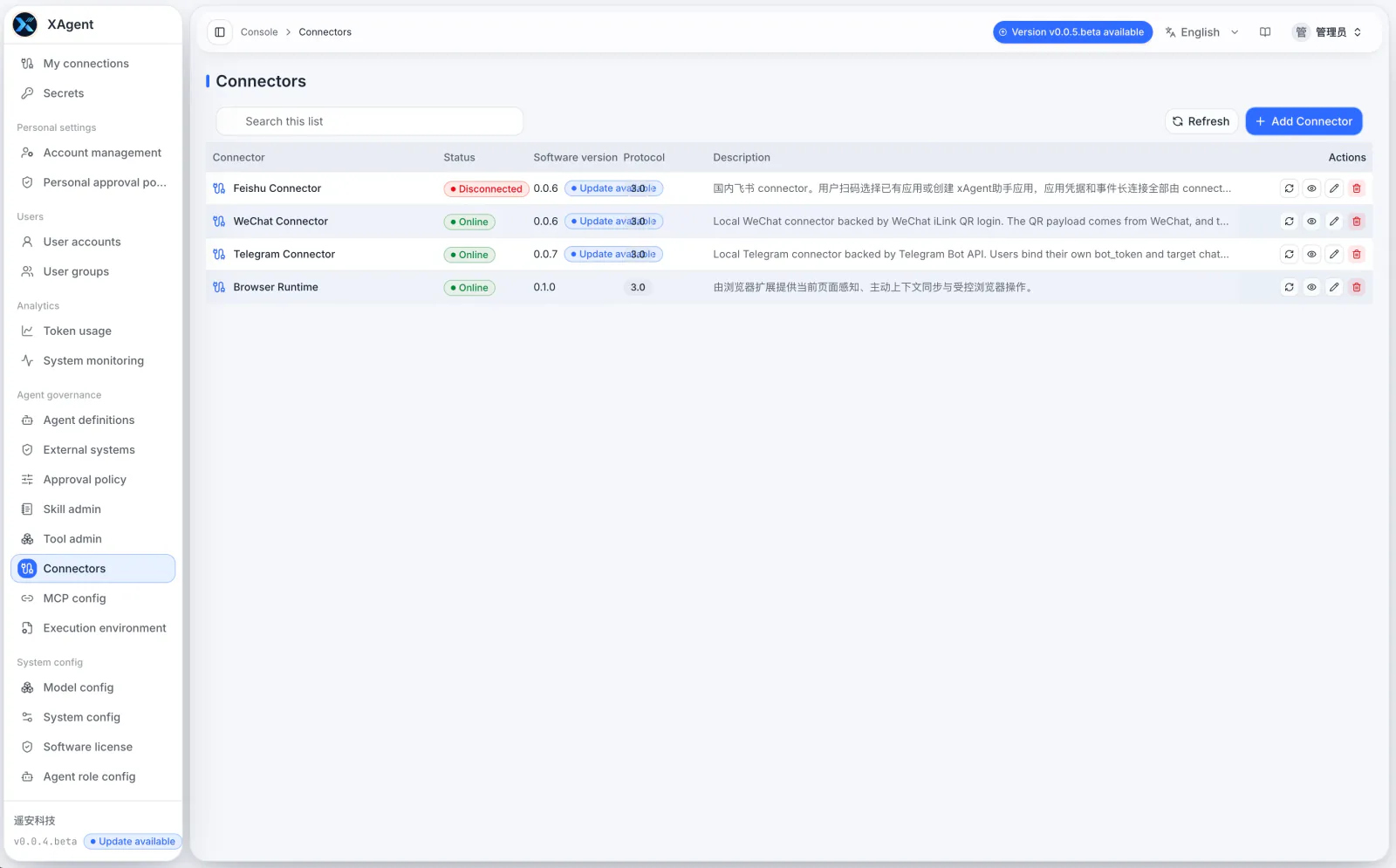
The xAgent Connector management page showing external channels, connection status, and management actions

xAgent vs. WorkBuddy, QoderWork, Codex, and OpenClaw

· 7 min read

Customers often ask how xAgent differs from WorkBuddy, QoderWork, Codex, and OpenClaw.

The wrong answer is that xAgent is stronger than all of them. These products do not solve the same problem. The useful comparison starts with who will use the product, where tasks run, whether work involves a team and business systems, and who owns the security and operational boundaries.